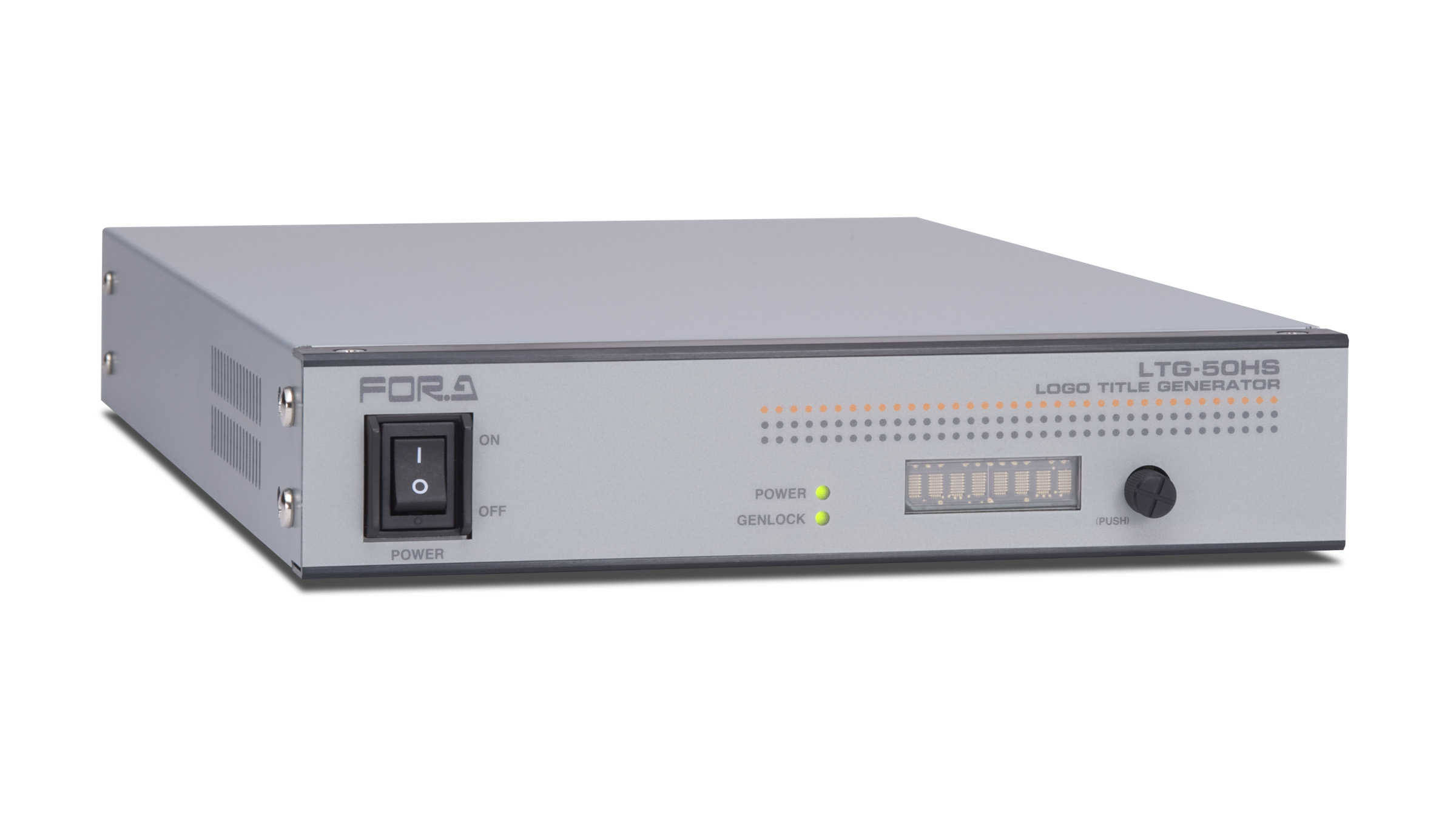

The LTG-50HS is an HD/SD logo/title generator capable of superimposing camera titles, the date and time, logos, and graphics on input video signals.
| Standard | SD-SDI: 525/60, 625/50 |
|---|---|
| HD-SDI: 1080/59.94i, 1080/50i, 1080/60i, 1080/24p, 1080/24PsF, 1080/23.98p, 1080/23.98PsF, 1080/30p, 1080/29.97p, 1080/25p, 720/59.94p, 720/50p, 720/60p * 1080/25PsF is supported by 1080/50i, 1080/30PsF by 1080/60i, and 1080/29.97PsF by 1080/59.94i. |
|
| Video Input | SD-SDI: 270 Mbps HD-SDI: 1.485 Gbps or 1.485/1.001 Gbps 75Ω BNC x 1 (bypass through to video outputs supported) |
| Genlock Input | BB: NTSC: 0.429 Vp-p/PAL: 0.45 Vp-p or Tri-level sync ±0.3 V, 75Ω BNC x 1 |
| Pull-in Range | Within ±0.5 H (to the genlock phase) |
| Video Output | SD-SDI: 270 Mbps HD-SDI: 1.485 Gbps or 1.485/1.001 Gbps 75Ω BNC x 2 (1 line x 2 connectors) * The ancillary data including embedded audio will be passed through. |
| I/O Delay | Input Lock settings Minimum delay (* Varies depending on the video format.) GenLock settings (BB, or TRI) 1H (when the input and genlock phases match) |
| Interfaces | REMOTE: 15-pin D-sub female, x 1 -Remote input: Switch pages (can be set in the menu) TTL negative logic level signal or Make contact, Pulse width: 100 msec or more, 8 inputs - Time correction input: TTL negative logic pulse signal or Make contact, Pulse width: 100 msec or more, 1 input - Fan alarm output: Make contact relay, Max 24 V DC 100 mA, 1 output |
| RS-232C: 9-pin D-sub male, x 1o pairs), 48 kHz | |
| LAN: 10BASE-T/100BASE-TX, RJ-45 (Category 5) x 1 | |
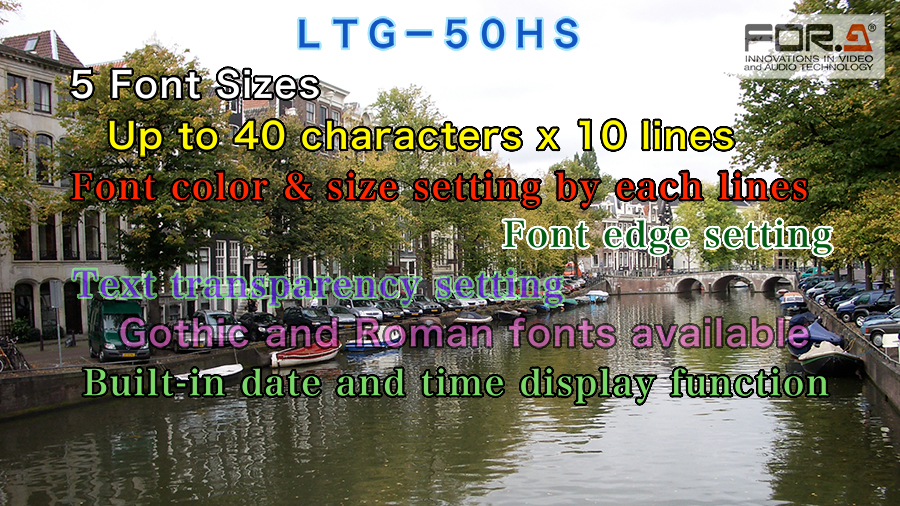
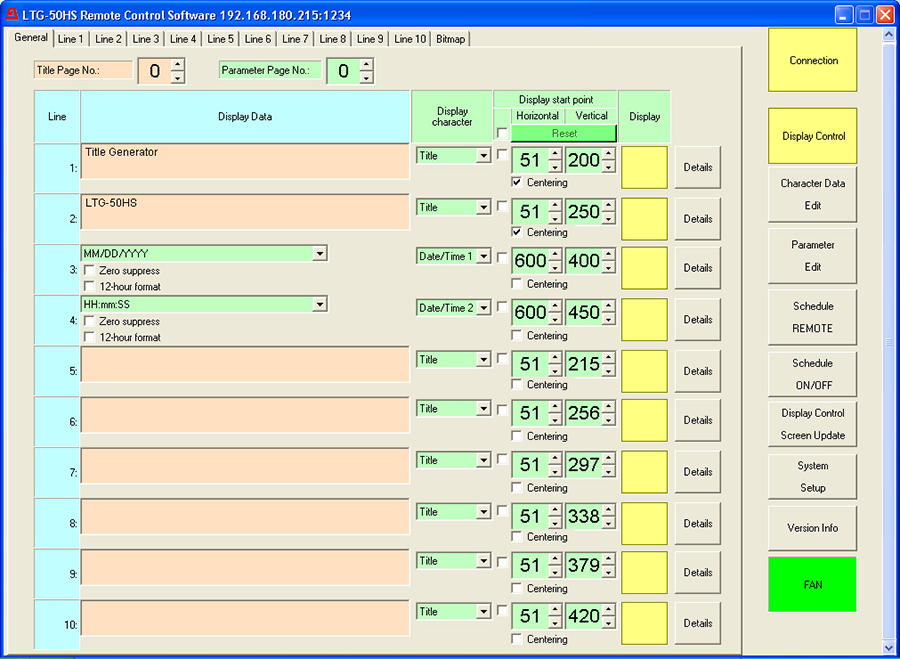
| Title Display | Character limit: Max. 40 characters x 10 lines Page limit: 256 pages Character set: ISO8859-1 (Latin-1) character set Font type: Roman and Gothic Font sizes: 5 levels (per-line setting) Display position: Per-line setting Title color: Per-line setting (Text and background: full color) |
| Data / Time Display | Display line selectable (Up to 2 lines) Year, month, day, hour, minute and second 24-hour display / 12-hour display switchable * Display format selectable |
| Bitmap Image Display | Logo and image files displayed in desired locations |
| Text Crawl | Displayed on up to 2 desired lines (MIX output only) Maximum characters 1st line: Max. 512 characters 2nd line: Max. 256 characters * The maximum number of characters varies depending on video format, font size, and font type settings. Maximum pages: 256 pages |
| Clock Accuracy | Within ±10 seconds per month (at 0ºC to 40ºC) |
| Data Backup (Clock data) |
Lithium battery |
| Data Backup (Except clock data) |
Stored to FLASH memory (Program erase cycle limit: approx. 200000 P/E cycles) |
| Temperature / Humidity | 0ºC to 40ºC / 30% to 90% (no condensation) |
| Power | 100 V AC to 240 V AC ±10%, 50/60 Hz |
| Power Consumption | 27 VA (25 W) at 100 V AC |
| Dimensions / Weight | 212 (W) x 44 (H) x 350 (D) mm / 2.5 kg |
| Consumables | Power supply unit: Replace every 5 years Backup battery: CR-2032 Replace every 5 years (at room temp.) Cooling fan: P-1439 Replace every 5 years (at room temp.) |
| Accessories | Operation Manual, AC cord, Control Software installation CD-ROM (Windows) |
| OS | WindowsXP SP2 or later Professional (32-bit) | Windows Vista Business (32-bit) | Windows 7 Professional (32/64-bit) |
|---|---|---|---|
| CPU | 1 GHz or faster | 2 GHz or faster (32-bit) 64-bit processor (64-bit) |
|
| Memory | 1 GB or more recommended | 2 GB or more | |
| Display | Resolution of 1280x1024 pixels or better Must be capable of full color (24-bit) display |
||
| LAN adapter (*1) | At least one 10BASE-T/100BASE-TX compatible port | ||
| LAN cable (*1) | Enhanced category 5 or greater | ||
| Serial port (*2) | At least one | ||
| Serial cable (*2) | RS-232C straight cable | ||
| Software | Mictosoft .NET Framework 2.0 (Supplied on the CD-ROM) Windows Installer 3.1 (Supplied on the CD-ROM) |
||
(*1) Use of Bitmap display function required.
(*2) If you are contrallong LTG-50HS over TCP/IP (LAN) interface, the serial port and serial cable are not required. On the contrary, if you are controlling over an RS-232C interface, a LAN adaptor and LAN cable areanot required. However, the Bitmap display function is not available via serial port.